
Vault Java SDK Code Inspections
The Vault Toolbox plugin includes a set of IntelliJ IDEA code inspections that flag APIs and patterns not permitted in the Vault Java SDK sandbox. Inspections catch these issues at development time, before you attempt to deploy code that would fail at runtime or be rejected on deploy. Learn more about Vault Java SDK.
Enabling Inspections
Section link for Enabling InspectionsInspections are disabled by default and apply only to projects that include the Vault Java SDK on their classpath.
To enable Vault Java SDK inspections:
- In IntelliJ IDEA, navigate to Settings > Editor > Inspections.
- In the inspections list, expand Vault Java SDK.
- Select the checkbox for each inspection you wish to enable. See the available inspections for more information.
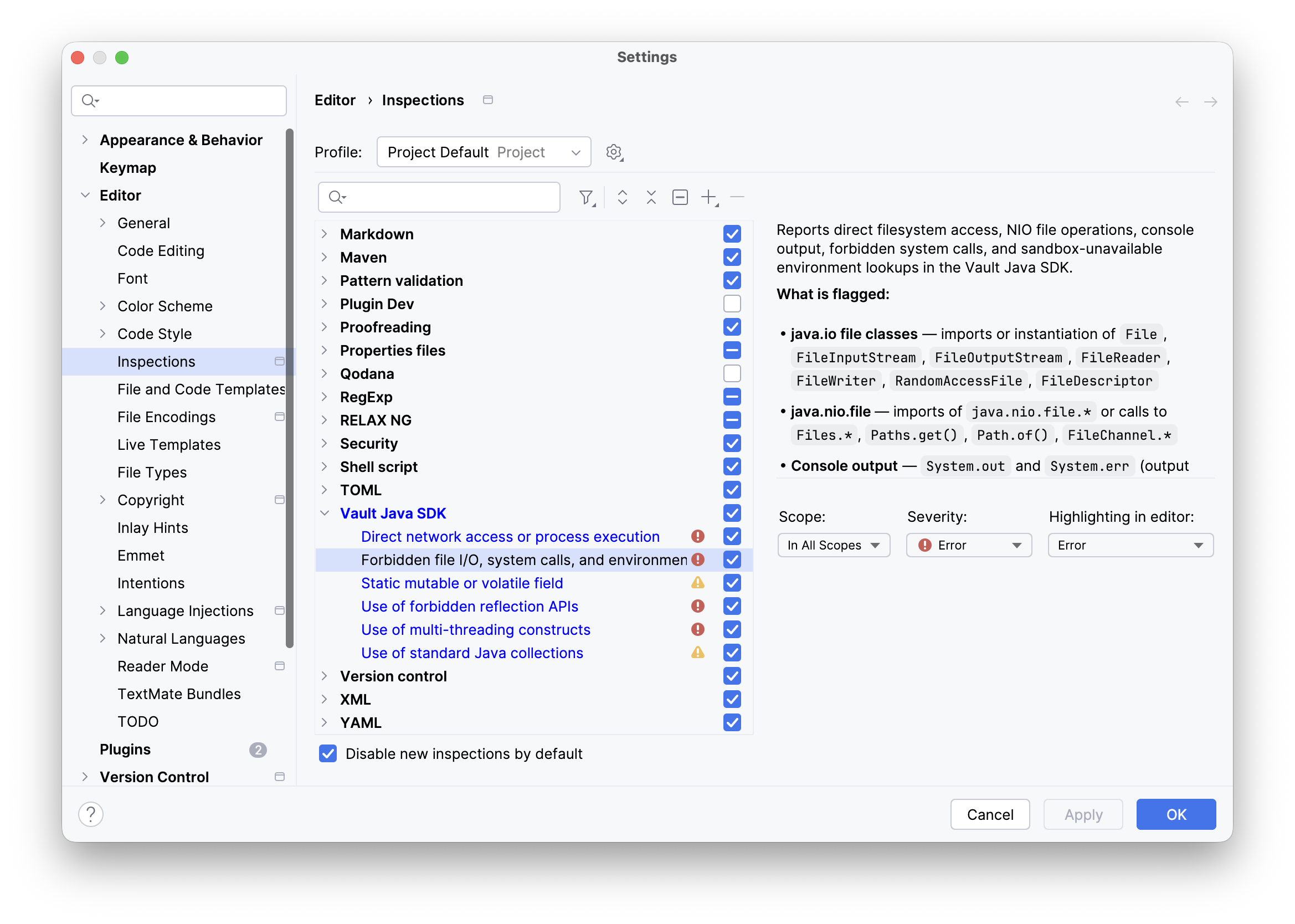
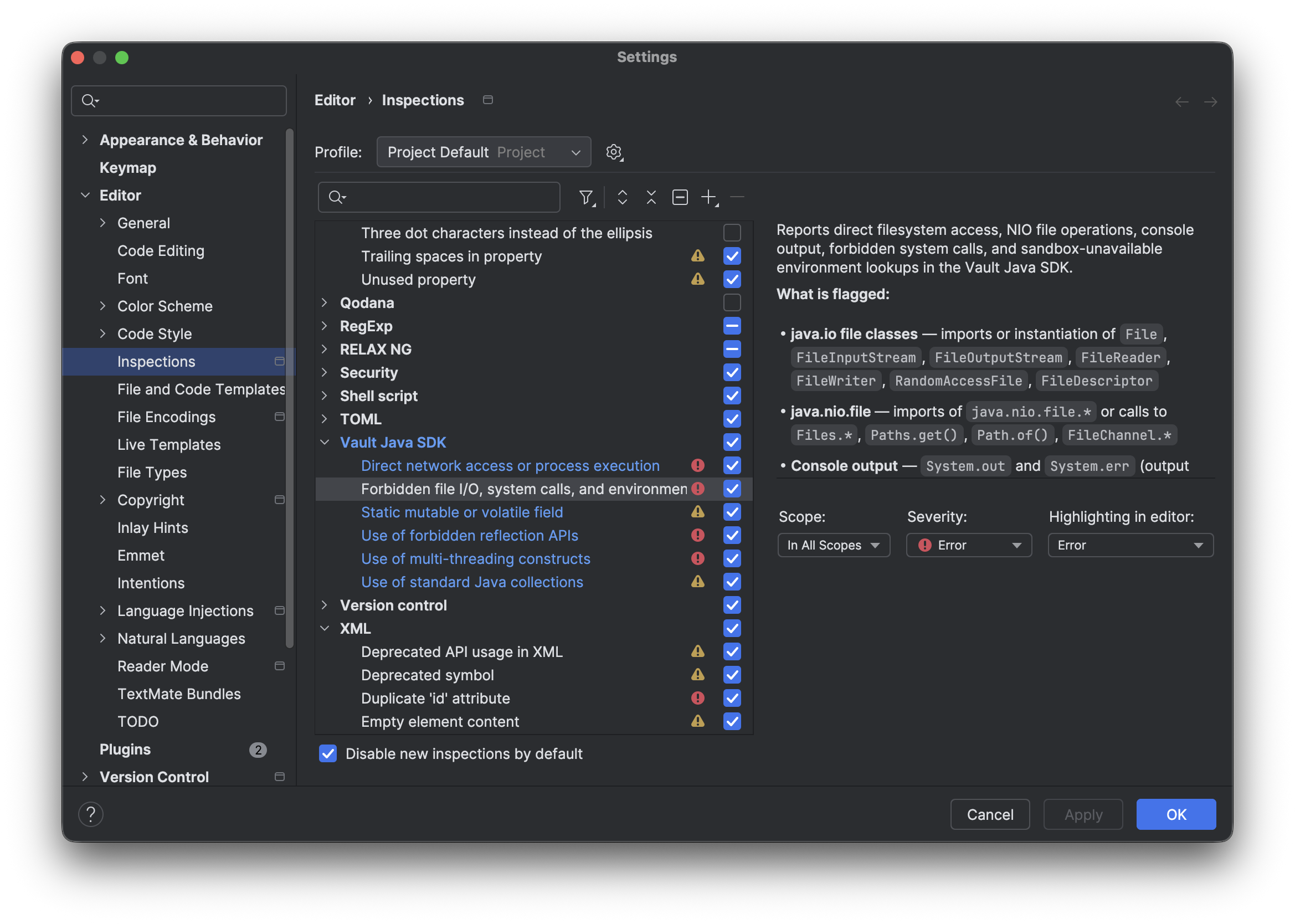
- Optional: For any selected inspection, indicate a Scope, Severity, and preferred Highlighting in editor.
- Click Apply.
Once enabled, IntelliJ IDEA highlights flagged code in the editor with the configured severity level. Hover over a highlighted element to see the inspection message, or open the Problems tool window to view all violations in the project.
Available Inspections
Section link for Available InspectionsThe following inspections are available in the Vault Toolbox plugin.
Java Reflection
Section link for Java ReflectionThe Use of forbidden reflection APIs inspection reports any import or use of the java.lang.reflect package, as well as direct calls to reflection entry points on java.lang.Class such as getClass().getMethod() or Class.forName(). The Vault Java SDK sandbox does not permit runtime reflection — attempting to deploy code that uses it will result in a deployment error.
What is flagged:
import java.lang.reflect.*or any specific class from that packageClass.forName(...)obj.getClass().getMethod(...),.getDeclaredMethod(),.getMethods(), etc.obj.getClass().getField(...),.getDeclaredField(),.getFields(), etc.obj.getClass().getConstructor(...),.newInstance(), etc.obj.getClass().getAnnotation(...)and related annotation-inspection methodsSomeClass.class.getDeclaredMethods()and similar class-literal chains
Example violations:
import java.lang.reflect.Method;   // flagged — import

public class MyTrigger implements RecordTrigger {
    public void execute(RecordTriggerContext context) {
        // flagged — getMethod() resolves to java.lang.Class, no import needed
        record.getClass().getMethod("getValue", String.class, Class.class);

        // flagged — Class.forName() is a reflection entry point
        Class<?> clazz = Class.forName("com.example.MyHelper");

        // flagged — class literal chained with a reflect API call
        MyHelper.class.getDeclaredFields();
    }
}
Recommended alternative: Use the strongly-typed Vault SDK service APIs directly. All record field access is available via Record.getValue(field, ValueType) and Record.setValue(field, value).
Multi-Threading
Section link for Multi-ThreadingThe Use of multi-threading constructs inspection reports multi-threading constructs that are forbidden in the Vault Java SDK sandbox. The SDK runtime is single-threaded; spawning threads or using synchronization primitives will cause unpredictable behavior or a deployment error.
What is flagged:
- Imports of
java.lang.Thread,java.lang.ThreadLocal, or anything injava.util.concurrent new Thread(...),new ThreadLocal<>(),new CompletableFuture<>(), etc.- Classes that
extend Thread synchronizedmethods andsynchronized(...)blocksThread.sleep(),Thread.yield(),Thread.interrupted(),Thread.currentThread()
Example violations:
import java.util.concurrent.ExecutorService;   // flagged

public class MyAction implements RecordAction {
    public synchronized void execute(RecordActionContext context) {  // flagged
        ExecutorService executor = Executors.newSingleThreadExecutor();  // flagged

        // flagged — no import needed, caught via method resolution
        Thread.sleep(1000);
    }
}
Recommended alternative: Use ServiceLocator.locate(RuntimeService.class).sleep(ms) for delays. For background processing, use the Vault SDK JobService instead of raw threads.
File I/O and System Calls
Section link for File I/O and System CallsThe Forbidden file I/O, system calls, and environment access inspection reports direct filesystem access, NIO file operations, console output, forbidden system calls, and sandbox-unavailable environment lookups in the Vault Java SDK.
What is flagged:
java.iofile classes: imports or instantiation ofFile,FileInputStream,FileOutputStream,FileReader,FileWriter,RandomAccessFile,FileDescriptorjava.nio.file: imports ofjava.nio.file.*or calls toFiles.*,Paths.get(),Path.of(),FileChannel.*- Console output:
System.outandSystem.err— output goes nowhere in Vault; useLogServiceinstead - Environment / property access:
System.getenv(),System.getProperty(),System.getProperties()silently returnnullor empty values inside the Vault sandbox - System / Runtime calls:
System.exit(),Runtime.exec(),Runtime.halt()— a quick-fix is available to remove the call
Example violations:
import java.io.File;               // flagged
import java.nio.file.Files;        // flagged

public class MyTrigger implements RecordTrigger {
    public void execute(RecordTriggerContext context) {
        new File("/tmp/x");                      // flagged
        Files.readAllBytes(Path.of("/tmp/x"));   // flagged

        System.out.println("debug");             // flagged
        String val = System.getenv("MY_VAR");    // flagged — always null in Vault
        String prop = System.getProperty("foo"); // flagged — always null in Vault

        System.exit(1);                          // flagged — quick-fix: remove call
    }
Recommended alternative: Use ServiceLocator.locate(LogService.class) for all logging and diagnostics. File storage is not supported; persist data via RecordService or DocumentService. Configuration values should be stored in Vault object records, not environment variables.
Network Access
Section link for Network AccessThe Direct network access or process execution inspection reports direct network access and external process execution that are forbidden in the Vault Java SDK sandbox. Raw socket connections and process spawning bypass Vault's security model and are blocked at runtime.
What is flagged:
- Imports of
java.net.Socket,ServerSocket,DatagramSocket,MulticastSocket,HttpURLConnection, orURLConnection - Imports of
java.lang.ProcessBuilder - Instantiation of any of the above classes
Example violation:
import java.net.Socket;           // flagged
import java.lang.ProcessBuilder;  // flagged

public class MyTrigger implements RecordTrigger {
    public void execute(RecordTriggerContext context) {
        Socket s = new Socket("api.example.com", 443);  // flagged
        new ProcessBuilder("curl", "...").start();       // flagged
    }
}
Recommended alternative: Use ServiceLocator.locate(ConnectionService.class) to make approved outbound HTTP calls via a Vault-managed connection. Connections must be configured in Vault as a Connection record before use.
Static Mutable and Volatile Fields
Section link for Static Mutable and Volatile FieldsThe Static mutable or volatile field inspection reports field declarations that imply shared or thread-dependent state, both of which are forbidden in the Vault Java SDK sandbox.
What is flagged:
- Static mutable fields: any
staticfield without afinalmodifier. The Vault SDK may load and unload classes across invocations; mutable static fields can leak data between unrelated user sessions. - Volatile fields: the
volatilekeyword implies shared access across threads, which is not permitted in the single-threaded SDK runtime.
Example violations:
public class MyAction implements RecordAction {
    private static int callCount = 0;           // flagged — static mutable
    private static List<String> cache = ...;   // flagged — static mutable
    private volatile boolean running = false;   // flagged — volatile

    private static final String PREFIX = "v_";  // OK — compile-time constant
}Recommended alternative: Keep only static final compile-time constants as static fields. For state shared within a single SDK invocation, use instance fields or pass values explicitly between methods.
Standard Java Collections
Section link for Standard Java CollectionsThe Use of standard Java collections inspection reports instantiation of standard Java collection classes and use of java.util.stream.Collectors, both of which are not permitted in the Vault Java SDK sandbox. Use the SDK-provided VaultCollections and VaultCollectors classes instead.
What is flagged:
- Collection instantiation:
new ArrayList<>(),new HashMap<>(),new HashSet<>(),new LinkedList<>(),new TreeMap<>(),new TreeSet<>(), and similar standard collection constructors import java.util.stream.Collectors: explicit import of the forbidden classCollectors.toList(),Collectors.toSet(),Collectors.toMap(), etc., caught via method-call resolution even without an explicit import
Example violations and fixes:
// Invalid
import java.util.stream.Collectors;       // flagged

List<String> names = new ArrayList<>();  // flagged
Map<String, String> map = new HashMap<>(); // flagged

List<String> result = records.stream()
        .map(r -> r.getValue("name__v", ValueType.STRING))
        .collect(Collectors.toList());    // flagged

// Valid
List<String> names = VaultCollections.newList();
Map<String, String> map = VaultCollections.newMap();

List<String> result = records.stream()
        .map(r -> r.getValue("name__v", ValueType.STRING))
.collect(VaultCollectors.toList());Recommended alternative: Use VaultCollections.newList(), VaultCollections.newMap(), and VaultCollectors for all collection operations in SDK code.